这是本节的多页打印视图。
点击此处打印 .
返回本页常规视图 .
运维任务
部署、配置和维护 etcd 集群的操作指南
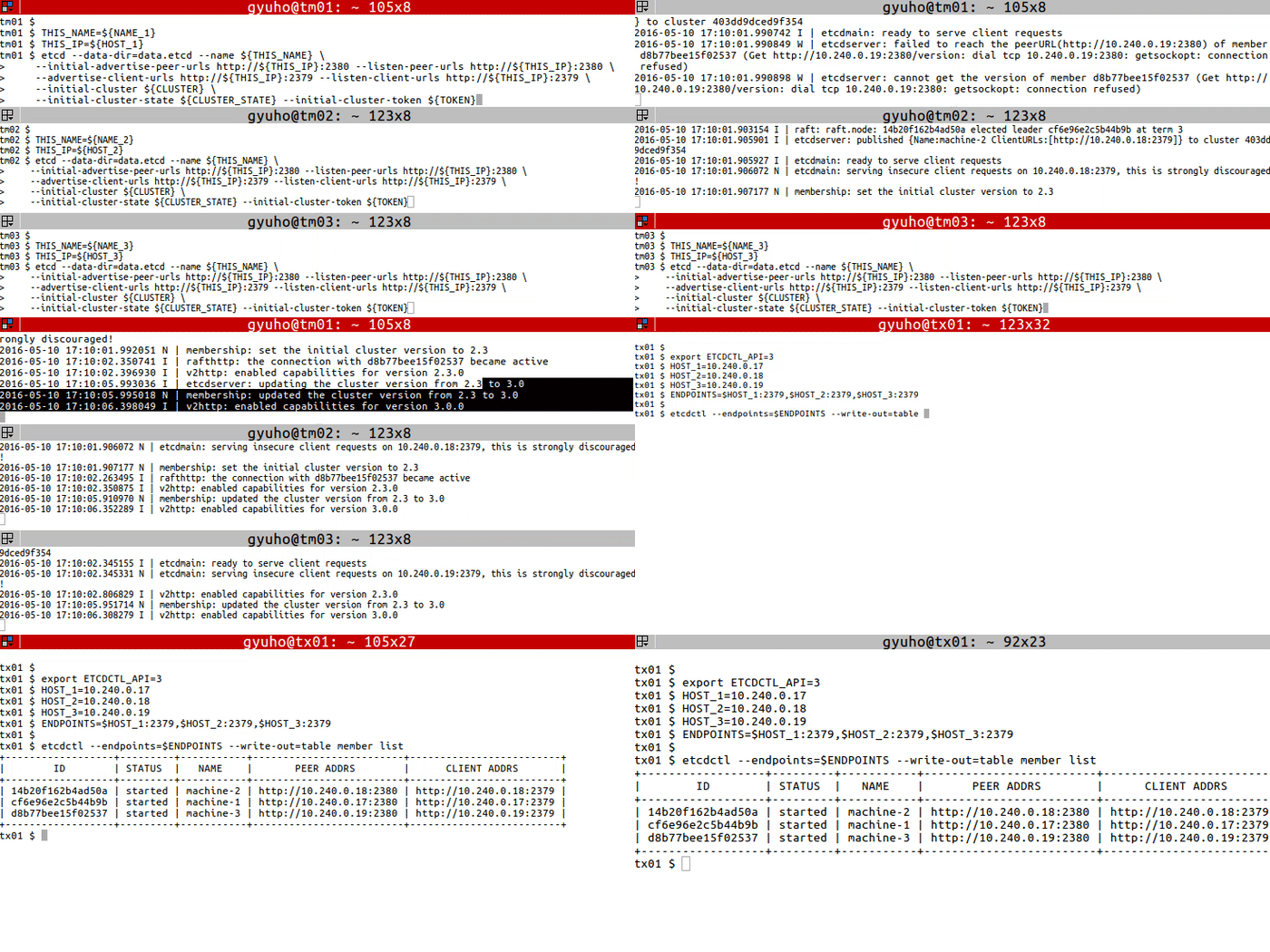
1 - 如何搭建演示集群
etcd 集群部署指南
在每个 etcd 节点上,指定集群成员:
TOKEN = token-01
CLUSTER_STATE = new
NAME_1 = machine-1
NAME_2 = machine-2
NAME_3 = machine-3
HOST_1 = 10.240.0.17
HOST_2 = 10.240.0.18
HOST_3 = 10.240.0.19
CLUSTER = ${ NAME_1 } = http://${ HOST_1 } :2380,${ NAME_2 } = http://${ HOST_2 } :2380,${ NAME_3 } = http://${ HOST_3 } :2380
在每台机器上运行以下命令:
# For machine 1
THIS_NAME = ${ NAME_1 }
THIS_IP = ${ HOST_1 }
etcd --data-dir= data.etcd --name ${ THIS_NAME } \
--initial-advertise-peer-urls http://${ THIS_IP } :2380 --listen-peer-urls http://${ THIS_IP } :2380 \
--advertise-client-urls http://${ THIS_IP } :2379 --listen-client-urls http://${ THIS_IP } :2379 \
--initial-cluster ${ CLUSTER } \
--initial-cluster-state ${ CLUSTER_STATE } --initial-cluster-token ${ TOKEN }
# For machine 2
THIS_NAME = ${ NAME_2 }
THIS_IP = ${ HOST_2 }
etcd --data-dir= data.etcd --name ${ THIS_NAME } \
--initial-advertise-peer-urls http://${ THIS_IP } :2380 --listen-peer-urls http://${ THIS_IP } :2380 \
--advertise-client-urls http://${ THIS_IP } :2379 --listen-client-urls http://${ THIS_IP } :2379 \
--initial-cluster ${ CLUSTER } \
--initial-cluster-state ${ CLUSTER_STATE } --initial-cluster-token ${ TOKEN }
# For machine 3
THIS_NAME = ${ NAME_3 }
THIS_IP = ${ HOST_3 }
etcd --data-dir= data.etcd --name ${ THIS_NAME } \
--initial-advertise-peer-urls http://${ THIS_IP } :2380 --listen-peer-urls http://${ THIS_IP } :2380 \
--advertise-client-urls http://${ THIS_IP } :2379 --listen-client-urls http://${ THIS_IP } :2379 \
--initial-cluster ${ CLUSTER } \
--initial-cluster-state ${ CLUSTER_STATE } --initial-cluster-token ${ TOKEN }
或使用我们的公开发现服务:
curl https://discovery.etcd.io/new?size= 3
https://discovery.etcd.io/a81b5818e67a6ea83e9d4daea5ecbc92
# grab this token
TOKEN = token-01
CLUSTER_STATE = new
NAME_1 = machine-1
NAME_2 = machine-2
NAME_3 = machine-3
HOST_1 = 10.240.0.17
HOST_2 = 10.240.0.18
HOST_3 = 10.240.0.19
DISCOVERY = https://discovery.etcd.io/a81b5818e67a6ea83e9d4daea5ecbc92
THIS_NAME = ${ NAME_1 }
THIS_IP = ${ HOST_1 }
etcd --data-dir= data.etcd --name ${ THIS_NAME } \
--initial-advertise-peer-urls http://${ THIS_IP } :2380 --listen-peer-urls http://${ THIS_IP } :2380 \
--advertise-client-urls http://${ THIS_IP } :2379 --listen-client-urls http://${ THIS_IP } :2379 \
--discovery ${ DISCOVERY } \
--initial-cluster-state ${ CLUSTER_STATE } --initial-cluster-token ${ TOKEN }
THIS_NAME = ${ NAME_2 }
THIS_IP = ${ HOST_2 }
etcd --data-dir= data.etcd --name ${ THIS_NAME } \
--initial-advertise-peer-urls http://${ THIS_IP } :2380 --listen-peer-urls http://${ THIS_IP } :2380 \
--advertise-client-urls http://${ THIS_IP } :2379 --listen-client-urls http://${ THIS_IP } :2379 \
--discovery ${ DISCOVERY } \
--initial-cluster-state ${ CLUSTER_STATE } --initial-cluster-token ${ TOKEN }
THIS_NAME = ${ NAME_3 }
THIS_IP = ${ HOST_3 }
etcd --data-dir= data.etcd --name ${ THIS_NAME } \
--initial-advertise-peer-urls http://${ THIS_IP } :2380 --listen-peer-urls http://${ THIS_IP } :2380 \
--advertise-client-urls http://${ THIS_IP } :2379 --listen-client-urls http://${ THIS_IP } :2379 \
--discovery ${ DISCOVERY } \
--initial-cluster-state ${ CLUSTER_STATE } --initial-cluster-token ${ TOKEN }
现在 etcd 已准备就绪!使用 etcdctl 连接 etcd:
export ETCDCTL_API = 3
HOST_1 = 10.240.0.17
HOST_2 = 10.240.0.18
HOST_3 = 10.240.0.19
ENDPOINTS = $HOST_1 :2379,$HOST_2 :2379,$HOST_3 :2379
etcdctl --endpoints= $ENDPOINTS member list
2 - 如何在 etcd 集群中进行领导者选举
通过 etcdctl 客户端开展领导者选举的步骤
先决条件
进行领导者选举
etcdctl 命令用于在 etcd 集群中执行选举操作。该命令确保同一时间仅有一个客户端可成为领导者。
etcdctl --endpoints=$ENDPOINTS elect <election-name> [proposal]
etcdctl --endpoints= $ENDPOINTS elect election-name p1
选项
每个 etcd 集群成员的地址。
用于选举的字符串标识符。所有竞争领导权的参与者必须使用相同的选举名称。
新领导者的提案值。
示例
./etcdctl elect my-election proposal1
my-election/694d99fafea88404
proposal1

another election:
./etcdctl elect new-election proposal1
new-election/694d99fafea8840f
proposal1
3 - 如何检查集群状态
etcd 集群状态检查指南
先决条件
检查整体状态
使用 endpoint status 检查 --endpoints 标志中指定的每个端点的总体状态:
etcdctl endpoint status ( --endpoints= $ENDPOINTS | --cluster)
选项
--cluster[= false] : use all endpoints from the cluster member list
检查健康状况
使用 endpoint health 检查 --endpoints 标志中指定的每个端点的健康状态:
etcdctl endpoint health ( --endpoints= $ENDPOINTS | --cluster)
选项
--cluster[= false] : use all endpoints from the cluster member list
检查键值哈希
使用 endpoint hashkv 检查 --endpoints 标志中指定的每个端点的 KV 历史哈希值:
etcdctl endpoint hashkv ( --endpoints= $ENDPOINTS | --cluster) [ rev = $REV ]
选项
--cluster[= false] : use all endpoints from the cluster member list
--rev= 0: maximum revision to hash ( default: latest revision)
继承自父命令的选项
--endpoints= "127.0.0.1:2379" : gRPC endpoints
-w, --write-out= "simple" : set the output format ( fields, json, protobuf, simple, table)
示例
etcdctl --write-out= table --endpoints= $ENDPOINTS endpoint status
+------------------+------------------+---------+---------+-----------+------------+-----------+------------+--------------------+--------+
| ENDPOINT | ID | VERSION | DB SIZE | IS LEADER | IS LEARNER | RAFT TERM | RAFT INDEX | RAFT APPLIED INDEX | ERRORS |
+------------------+------------------+---------+---------+-----------+------------+-----------+------------+--------------------+--------+
| 10.240.0.17:2379 | 4917a7ab173fabe7 | 3.5.0 | 45 kB | true | false | 4 | 16726 | 16726 | |
| 10.240.0.18:2379 | 59796ba9cd1bcd72 | 3.5.0 | 45 kB | false | false | 4 | 16726 | 16726 | |
| 10.240.0.19:2379 | 94df724b66343e6c | 3.5.0 | 45 kB | false | false | 4 | 16726 | 16726 | |
+------------------+------------------+---------+---------+-----------+------------+-----------+------------+--------------------+--------|
etcdctl --endpoints= $ENDPOINTS endpoint health
10.240.0.17:2379 is healthy: successfully committed proposal: took = 3.345431ms
10.240.0.19:2379 is healthy: successfully committed proposal: took = 3.767967ms
10.240.0.18:2379 is healthy: successfully committed proposal: took = 4.025451ms
etcdctl --cluster endpoint hashkv --write-out= table
+------------------+------------+---------------+
| ENDPOINT | HASH | HASH REVISION |
+------------------+------------+---------------+
| 10.240.0.17:2379 | 3892279174 | 3 |
| 10.240.0.18:2379 | 3892279174 | 3 |
| 10.240.0.19:2379 | 3892279174 | 3 |
+------------------+------------+---------------+
4 - 如何保存数据库
etcd 数据库快照的使用指南
先决条件
快照数据库
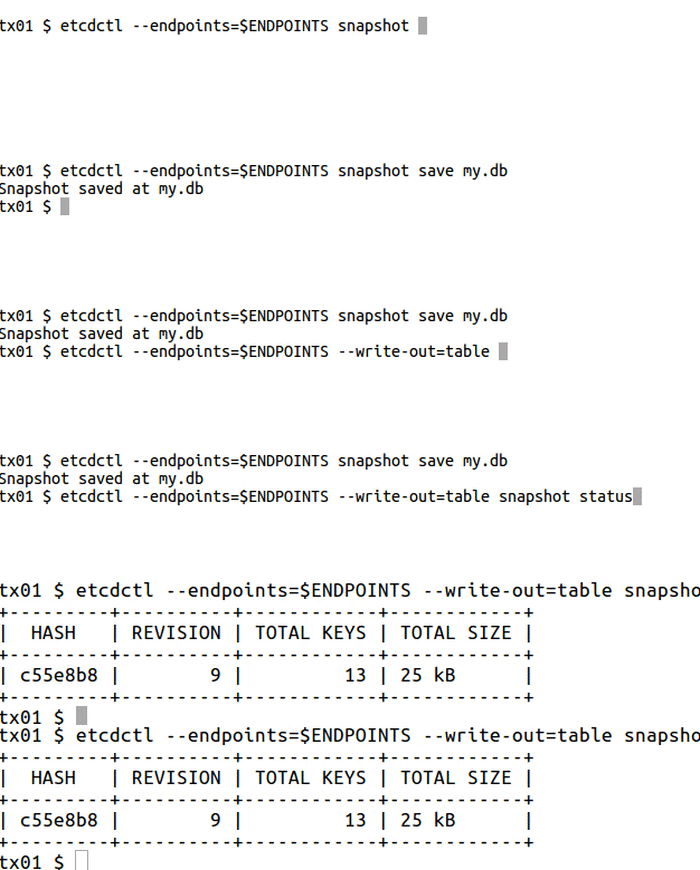
snapshot 用于保存 etcd 数据库的指定时间点快照:
etcdctl --endpoints= $ENDPOINT snapshot save DB_NAME
全局选项
etcdctl
--endpoints=[ 127.0.0.1:2379] , gRPC endpoints
快照只能从一个 etcd 节点请求,因此 --endpoints 标志中应仅包含一个端点。
etcd 工具
-w, --write-out string set the output format ( fields, json, protobuf, simple, table) ( default "simple" )
示例
ENDPOINTS = $HOST_1 :2379
etcdctl --endpoints= $ENDPOINTS snapshot save my.db
Snapshot saved at my.db
etcdutl --write-out= table snapshot status my.db
+---------+----------+------------+------------+
| HASH | REVISION | TOTAL KEYS | TOTAL SIZE |
+---------+----------+------------+------------+
| c55e8b8 | 9 | 13 | 25 kB |
+---------+----------+------------+------------+
5 - 如何添加和删除成员
etcd 集群成员管理指南
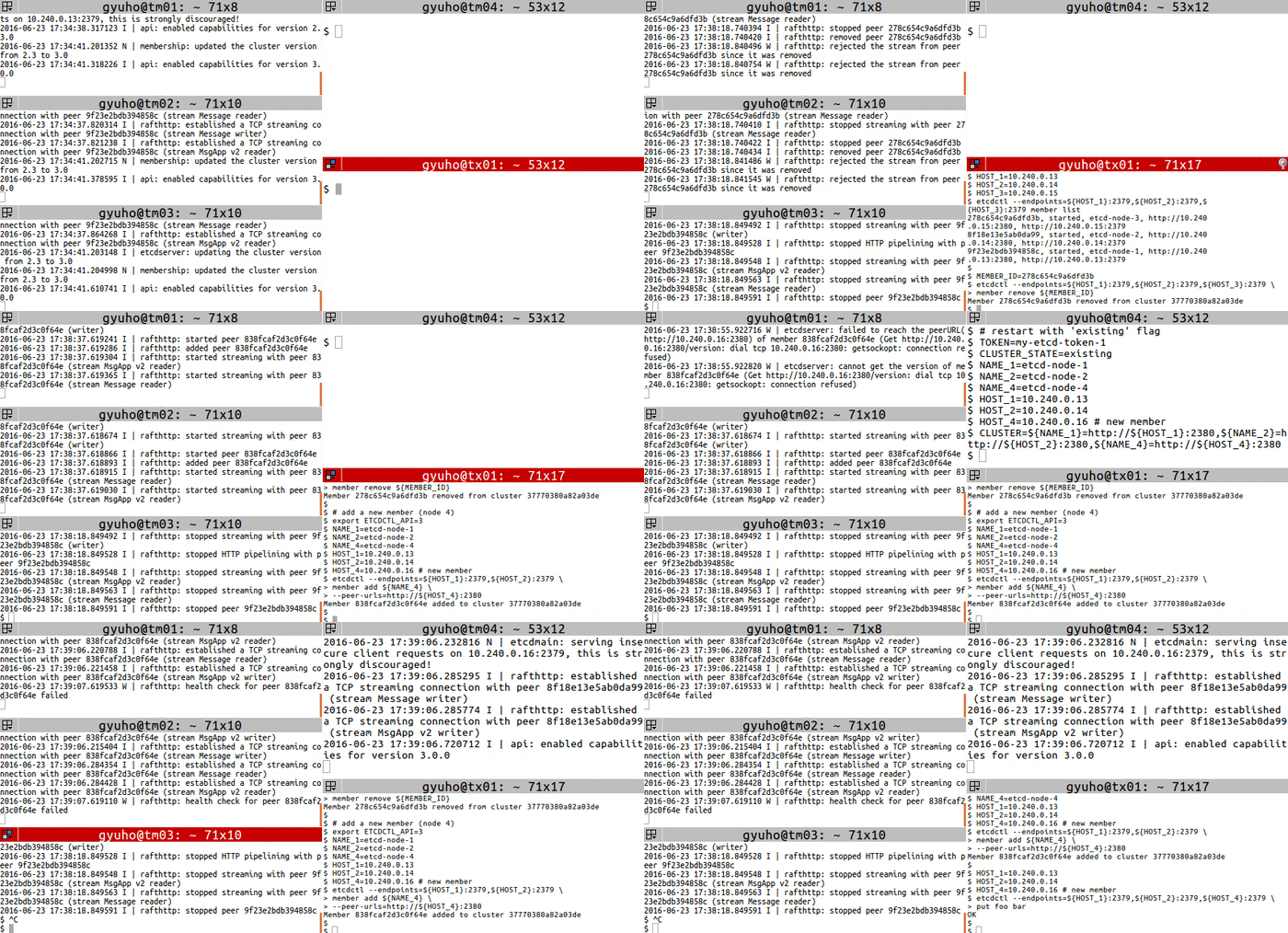
member 用于添加、删除或更新成员关系:
# For each machine
TOKEN = my-etcd-token-1
CLUSTER_STATE = new
NAME_1 = etcd-node-1
NAME_2 = etcd-node-2
NAME_3 = etcd-node-3
HOST_1 = 10.240.0.13
HOST_2 = 10.240.0.14
HOST_3 = 10.240.0.15
CLUSTER = ${ NAME_1 } = http://${ HOST_1 } :2380,${ NAME_2 } = http://${ HOST_2 } :2380,${ NAME_3 } = http://${ HOST_3 } :2380
# For node 1
THIS_NAME = ${ NAME_1 }
THIS_IP = ${ HOST_1 }
etcd --data-dir= data.etcd --name ${ THIS_NAME } \
--initial-advertise-peer-urls http://${ THIS_IP } :2380 \
--listen-peer-urls http://${ THIS_IP } :2380 \
--advertise-client-urls http://${ THIS_IP } :2379 \
--listen-client-urls http://${ THIS_IP } :2379 \
--initial-cluster ${ CLUSTER } \
--initial-cluster-state ${ CLUSTER_STATE } \
--initial-cluster-token ${ TOKEN }
# For node 2
THIS_NAME = ${ NAME_2 }
THIS_IP = ${ HOST_2 }
etcd --data-dir= data.etcd --name ${ THIS_NAME } \
--initial-advertise-peer-urls http://${ THIS_IP } :2380 \
--listen-peer-urls http://${ THIS_IP } :2380 \
--advertise-client-urls http://${ THIS_IP } :2379 \
--listen-client-urls http://${ THIS_IP } :2379 \
--initial-cluster ${ CLUSTER } \
--initial-cluster-state ${ CLUSTER_STATE } \
--initial-cluster-token ${ TOKEN }
# For node 3
THIS_NAME = ${ NAME_3 }
THIS_IP = ${ HOST_3 }
etcd --data-dir= data.etcd --name ${ THIS_NAME } \
--initial-advertise-peer-urls http://${ THIS_IP } :2380 \
--listen-peer-urls http://${ THIS_IP } :2380 \
--advertise-client-urls http://${ THIS_IP } :2379 \
--listen-client-urls http://${ THIS_IP } :2379 \
--initial-cluster ${ CLUSTER } \
--initial-cluster-state ${ CLUSTER_STATE } \
--initial-cluster-token ${ TOKEN }
然后使用 member remove 和 member add 命令替换成员:
# get member ID
export ETCDCTL_API = 3
HOST_1 = 10.240.0.13
HOST_2 = 10.240.0.14
HOST_3 = 10.240.0.15
etcdctl --endpoints= ${ HOST_1 } :2379,${ HOST_2 } :2379,${ HOST_3 } :2379 member list
# remove the member
MEMBER_ID = 278c654c9a6dfd3b
etcdctl --endpoints= ${ HOST_1 } :2379,${ HOST_2 } :2379,${ HOST_3 } :2379 \
member remove ${ MEMBER_ID }
# add a new member (node 4)
export ETCDCTL_API = 3
NAME_1 = etcd-node-1
NAME_2 = etcd-node-2
NAME_4 = etcd-node-4
HOST_1 = 10.240.0.13
HOST_2 = 10.240.0.14
HOST_4 = 10.240.0.16 # new member
etcdctl --endpoints= ${ HOST_1 } :2379,${ HOST_2 } :2379 \
member add ${ NAME_4 } \
--peer-urls= http://${ HOST_4 } :2380
接下来,使用 --initial-cluster-state existing 标志启动新成员:
# [WARNING] If the new member starts from the same disk space,
# make sure to remove the data directory of the old member
#
# restart with 'existing' flag
TOKEN = my-etcd-token-1
CLUSTER_STATE = existing
NAME_1 = etcd-node-1
NAME_2 = etcd-node-2
NAME_4 = etcd-node-4
HOST_1 = 10.240.0.13
HOST_2 = 10.240.0.14
HOST_4 = 10.240.0.16 # new member
CLUSTER = ${ NAME_1 } = http://${ HOST_1 } :2380,${ NAME_2 } = http://${ HOST_2 } :2380,${ NAME_4 } = http://${ HOST_4 } :2380
THIS_NAME = ${ NAME_4 }
THIS_IP = ${ HOST_4 }
etcd --data-dir= data.etcd --name ${ THIS_NAME } \
--initial-advertise-peer-urls http://${ THIS_IP } :2380 \
--listen-peer-urls http://${ THIS_IP } :2380 \
--advertise-client-urls http://${ THIS_IP } :2379 \
--listen-client-urls http://${ THIS_IP } :2379 \
--initial-cluster ${ CLUSTER } \
--initial-cluster-state ${ CLUSTER_STATE } \
--initial-cluster-token ${ TOKEN }